




 Previous
WSD Scanner (Push Type)
This allows you to send scan files to a client computer through the network. To begin a scan job, press [Start] on the machine.
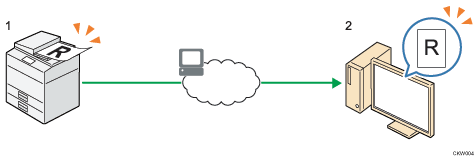
This machine
Place the original on the exposure glass or in the ADF. On the control panel, specify the destination computer, and then press [Start].
Your computer
Scanned documents will be sent to your computer.
Windows Vista or later and Windows Server 2008 or later support WSD features.

For details about WSD Scanner (Push Type), see Basic Operating Procedure of WSD Scanner (Push Type).


