




 Previous
You can switch between the default keyboard and the iWnn IME keyboard.
 Press and hold down
  .
.
When you are using the default keyboard, you can switch the default keyboard to the iWnn IME keyboard by holding down [Space].
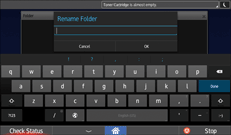
 Press [XXXX Screen Keyboard] or [XXXX iWnn IME].
The language you have selected in Screen Features replaces XXXX.

When you use the iWnn IME keyboard, make sure that "iWnn IME" in Screen Features is set to "On". For details about iWnn IME, see "Screen Features", Connecting the Machine/ System Settings.
If you switch the keyboard type while entering text to log in to the machine, the keyboard screen might disappear temporarily. Wait until the new keyboard appears.


