




 Previous
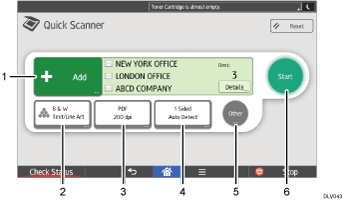
Select an e-mail or folder destination. You can also enter e-mail destination manually.
Select a color mode.
Select a scanning resolution and file type in which to send scanned data.
Select an original type and size.
Press to preview the scanned data.
Press to start sending scanned data.

If you specify many destinations, the machine might require some time to start scanning originals after [Start] is pressed.


