


 Previous

When you replaced the units, be sure to reset the counter for replaceable parts.
 Turn the machine on.
 Access the Adjustment Settings for Skilled Operators menu.
See "Adjustment Settings for Skilled Operators", Adjustment Item Menu Guide: TCRU/ORU.
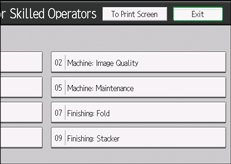
 Press [Machine:Maintenance].
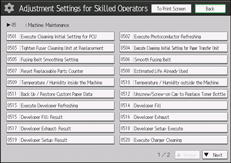
 Press [Reset Replaceable Parts Counter].
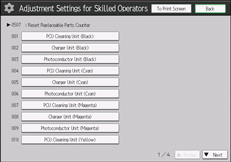
 Press the button of the part that has been replaced.
 Press [OK].
The counter for the replaced component is reset. The setting for adjusting the machine for the replaced component is executed automatically.
 Return to Home screen, and then open and close the front cover.
The counter is reset.
 Access the Adjustment Settings for Skilled Operators menu.
See "Adjustment Settings for Skilled Operators", Adjustment Item Menu Guide: TCRU/ORU.
 Press [Machine:Maintenance].
 Press [Estimated Life Already Used].
 Make sure the counter has been reset.


