


Teruggaan naar de vorige instelling
 VorigeVolgende
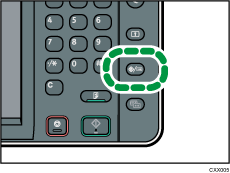
 Druk op de [Gebruikersinstellingen/Teller]-knop.
 Druk op [Onderhoud].
 Druk op [Autom. Kl.kalibr.].
 Druk op [Vorige instelling].
Om terug te gaan naar automatische kleurkalibratie in de kopieerfunctie, drukt u op [Vorige instelling]. Om terug te gaan naar automatische kleurkalibratie in de printerfunctie, drukt u op [Vorige instelling].
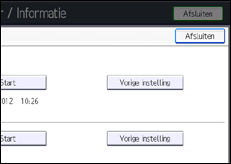
 Druk op [Ja].
Wanneer u de automatische kleurkalibratie uitvoert met behulp van de printerfunctie
Selecteer een testpatroon uit [Testpatroon 1 600
 600 dpi], [Testpatroon 2 1800 600 dpi], [Testpatroon 3 9000 600 dpi], [Testpatroon 4 1200 1200 dpi] of [Testpatroon 5 3600 1200 dpi] en druk vervolgens op [Ja].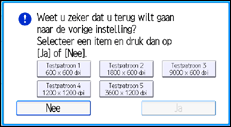
 Druk op de [Gebruikersinstellingen/Teller]-knop.


