


 Previous
When an error occurs, the machine automatically cancels the print job with an error and the jobs received before the error occurs.

This function is effective when printing using the following printer languages: PCL, PostScript 3, and PDF.
This function is not effective when:
Printing using RHPP or RGate
Spool printing is enabled
Printing using a protocol that cannot detect the end of job, such as via USB connection
Errors occur while printing from memory storage devices or while printing a stored document or a list
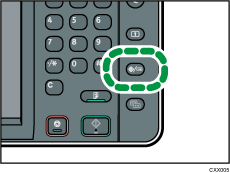
 Press the [User Tools/Counter] key.
 Press [Printer Features].
 Press the [System] tab.
 Press [Auto Cancel for Print Job(s) on Error].
 Press [On].
 Press [OK].
 Press the [User Tools/Counter] key.

For details about the items that can be configured, see System.


