


 Previous
You can check the machine status and maintenance information.
You can check the following items:
Maintenance Info
Remaining Toner
Displays the approximate amount of toner remaining.
Paper Tray
Displays the paper type and size loaded into the paper tray.
Output Tray Full
Displays whether the output tray is overloaded.
Original Misfeed
Displays the state of and solutions for original misfeeds.
Paper Misfeed
Displays the state of and solutions for paper misfeeds.
Cover Open
Indicates whether one or more covers of the machine are open.
Data Storage
HDD Remaining Memory
Displays the amount of available hard disk memory.
HDD File(s)
Displays the total number of jobs stored on the hard disk.
Print Job(s)
Displays the number of jobs for [Hold Print Job(s):], [Stored Print Job(s):], [Locked Print Job(s):], and [Sample Print Job(s):].
Memory Erase Status
Displays the state of the memory data.
Machine Address Info
Machine IPv4 Address
Displays the machine's IPv4 address.
Machine IPv6 Address
Displays the machine's IPv6 address.
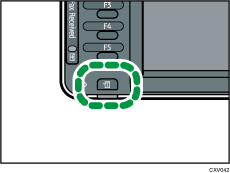
 Press the [Check Status] key.
 Press [Maintnc./Inquiry/Mach. Info].
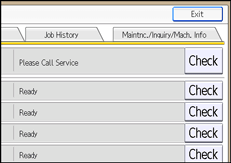
 Press each key, and then check the contents.
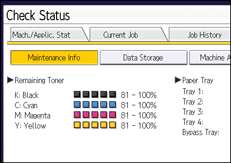
 After checking the information, press [Exit].

[Output Tray Full], [Original Misfeed], [Paper Misfeed], and [Cover Open] appear on the [Maintenance Info] screen only when these errors occur.
Depending on the security settings, [Machine Address Info] might not be displayed.
For details about how to locate and remove misfeeds, see "Removing Jammed Paper", Troubleshooting.


