


 Previous
You can initiate a call to a participant currently having a meeting and join the meeting in progress.
When you join a meeting in progress, you are directly connected to the meeting. No confirmation message is displayed at the contact having the meeting.
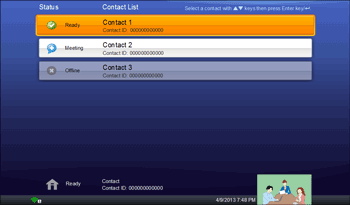
The status of a contact that is in a meeting is displayed as "Meeting".
 Press the [
 ] or [
 ] key to select the contact already has a meeting, and then press the [Enter] key/
 .
.
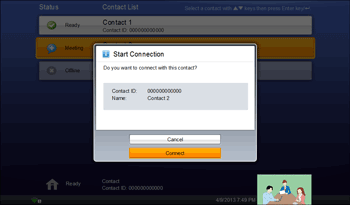
 Press the [] or [] key to select [Connect], and then press the [Enter] key/.
The meeting starts.
To cancel the call, press the [] or [] key to select [Cancel], and then press the [Enter] key/.


