


 Previous

Before packing up the machine, make sure the machine is off by checking whether the Power indicator is lit.
 Remove the cables of the audio input/output device from the machine, if it is connected.
 Remove the cable of the video output device from the machine, if it is connected.
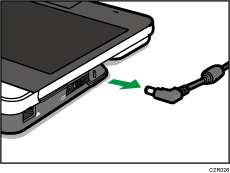
 Remove the AC adapter from the power connector inlet on the machine.
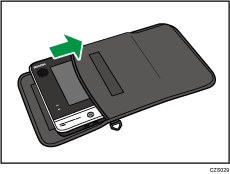
 Pack the machine and AC adapter in the supplied bag.

If the USB cable for the PC Screen Share is connected, remove the USB cable. Pack the USB cable in the supplied bag.
Store this machine and the Quick Guide in the supplied bag. When storing accessories, such as the AC adapter and USB cable, use the accessory bag.
Be sure to disconnect all cables and the AC adapter before placing this machine in the bag.


