


 Previous

|
|

When you attach the rechargeable battery, do not connect an AC adapter.
This machine and the battery cover are tied with a strap to prevent their loss. Do not use excessive force to remove the battery cover.
Do not attempt to raise or move this machine by the battery cover.
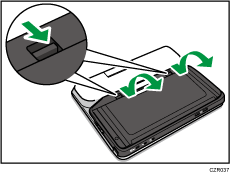
Open the battery cover on the bottom of this machine and insert the rechargeable battery.
 Push the cover latch in the direction of the arrow and slowly lift up the battery cover.
 Align the top of the rechargeable battery with this machine.
Align the holes in the rechargeable battery with the projections on this machine.
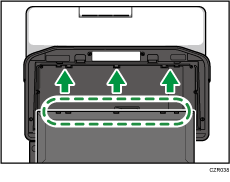
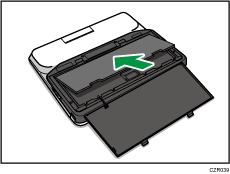
 Insert the rechargeable battery and push it down until you hear a clicking sound.
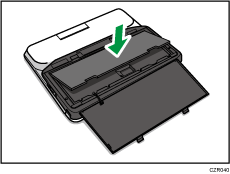
 Align the bottom of the battery cover with this machine.
Align the projections on the battery cover with the holes in this machine.
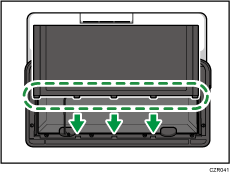
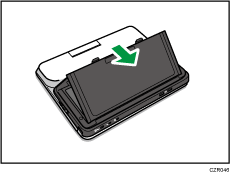
 Close the battery cover and push it down until you hear a clicking sound.
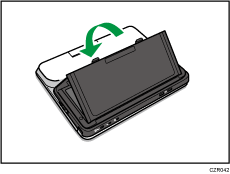
 After attaching the rechargeable battery, connect an AC adapter to charge the battery.
For details about how to connect the AC adapter, see Connecting the AC Adapter.


