Using the HTML Manuals
 Back
BackThis page explains how to use the HTML manuals.
# Sample screenshots are used.
 Screen
Navigation
Screen
Navigation
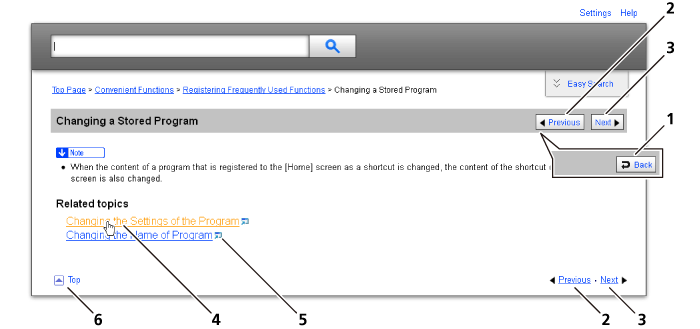
1 |
|
Returns you to the preceding page. |
2 |
|
Takes you to the previous page (according to title order). |
3 |
|
Takes you to the next page (according to title order). |
4 |
|
Takes you to the corresponding HTML page. (Underlines indicate hyperlinks.) |
5 |
|
Opens the corresponding page in a new window. |
6 |
|
Takes you to the top of the current page. |





# If the page contains references, they appear at the bottom of the page.
Useful
Functions
|
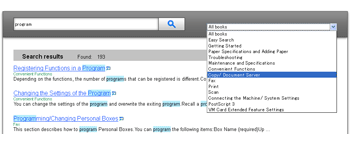
Use keywords to search for items you want to query.
Depending on the keyword you enter, related keywords might also appear.
|

Symbols
This manual uses the following symbols:
|
Indicates important safety notes. |
|
Indicates important safety notes. |
|
Indicates points to pay attention to when using the machine. Be sure to read these explanations. |
|
Indicates supplementary explanations of the machine's functions, and instructions on resolving user errors. |
|
This symbol is located at the end of sections. |
[ ] |
Indicates the names of keys and buttons. |




