


 Previous
Adjusts the density of an image only for dark texture originals.
 Make sure that [Auto Density] is selected.
If [Auto Density] is not selected, press [Auto Density].
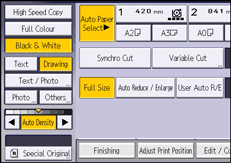
 Press [
 ] or [
 ] to adjust the density.
The density indicator " " moves.

If dark backgrounds still appear on copies, adjust the density using [
].


