


 Vorige
Om A1 (staand) of A2 (liggend) papier goed te stapelen, zet u de uitvoermand in de A1 (staand)/A2 (liggend) stapelmodus.
 Zorg ervoor dat de uitvoermand zich in basismodus bevindt.
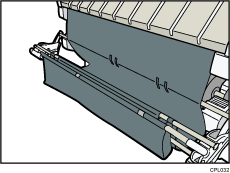
 Trek voorzichtig scheef aan staaf 1 tot hij stopt.
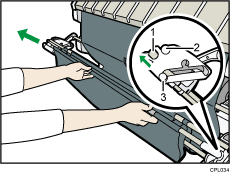
Staaf 1
Staaf 2
Staaf 3
 Breng staaf 1 omlaag zodat de mand horizontaal is.
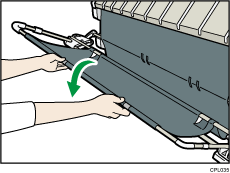
Vergrendel de uitvoermand in de horizontale positie.
 Schuif staaf 3 naar het apparaat.
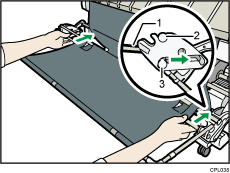
Staaf 1
Staaf 2
Staaf 3
 Til Staaf 1 lichtjes omhoog.
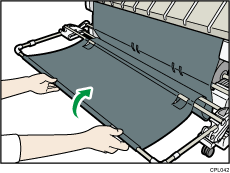
 Duw voorzichtig op staaf 1 tot hij door de stopper wordt gestopt.
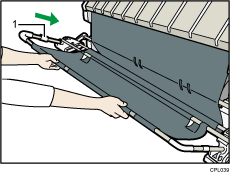
Stopper
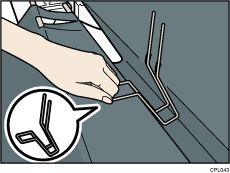
 Plaats twee haken in de richting van het gat binnenin de uitvoermand.
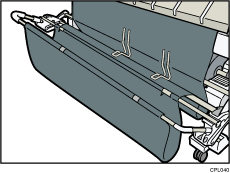
Wanneer u het afdrukken start, zorg er dan voor dat de uitvoermand open is, zoals boven afgebeeld.


