




Printing a Configuration Page
 Press the [
 /Menu] key.
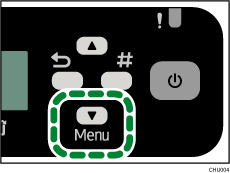
 Press the [
 ] or [/Menu] key to display [List/Test Print], and then press the [#Enter] key.
| Menu: List/Test Print |
 Press the [] or [/Menu] key to display [Config. Page] or [Color Demo Page], and then press the [#Enter] key.
| List/Test Print: Config. Page |
The configuration or the color demo page is printed.
 Press the [Escape] key.

