


 Previous
Adjusts the specific colors (yellow, red, magenta, blue, cyan, and green) by mixing them with adjacent colors in the color circle.
You can adjust up to three colors.


This function cannot be used if [Black&White] is selected. If [Black&White] is selected, select another color mode.
 Press [Other Func.].
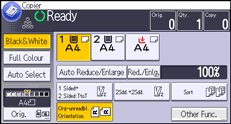
 Press [
 ].
].
 Press [Colour/Quality].
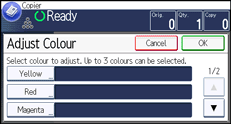
 Press [Adjust Colour].
 Select the color you want to adjust.
 Adjust the color tastes using [
 ] or [
 ].
].
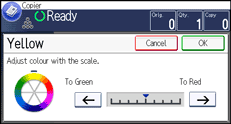
 Press [OK].
To adjust two colors or more, repeat steps 5 to 7.
 Press [OK] three times.

When Auto Clear is done, the [Reset] key is pressed, or the power is turned off, the adjusted settings will be deleted and the initial values will be reset.


