




Printing the Selected Print Job
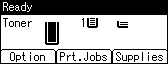
 On the initial screen, press [Prt.Jobs].
 Press [User ID].
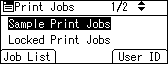
 Select the user ID whose file you want to print using the [
 ] or [
 ] key, and then press [Job List].
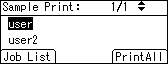
 Select the file you want to print using the [ ] or [ ] key, and then press [Print].
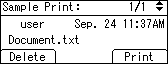
 Press [Print].
To cancel printing, press [Cancel].

If you print a Sample, Locked, or Hold Print file, the print file saved in the printer is deleted after printing is completed.

