












 Manuals
 Contents
 Previous
 Next
Next


| | | |
| |||
| |||
| | | |
| ManualsContentsPreviousNext | | |
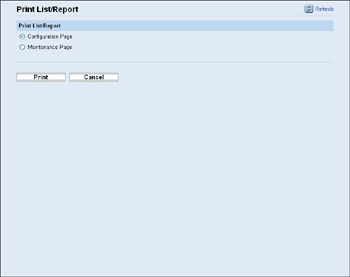
Click [Print List/Report] to display the page for printing reports. Then, select an item and click [Print] to print out information for that item.
Item |
Description |
|---|---|
Configuration Page |
Prints general information about the printer and its current configuration. |
Maintenance Page |
Prints the maintenance page. |

Reports cannot be printed via Web Image Monitor if other jobs are printing. Before printing reports, confirm that printer is not printing.
Reports will be printed on A4 or Letter size paper. Load one of these sizes of paper into the priority tray before printing reports.

For details about priority tray settings, see Configuring the Paper Settings.
For details about loading paper, see "Loading Paper" Hardware Guide.
 |
 | Copyright (C) 2011 |
