




 Manuals
 Contents
 Previous
 Next
Next


| | | |
| |||
| |||
| | | |
| ManualsContentsPreviousNext | | |

|
|

|
|
|
|
|
|

Actual printable numbers vary depending on image volume and density, number of pages printed at a time, paper type and size, and environmental conditions such as temperature and humidity. Toner quality degrades over time. Early replacement of the print cartridge might be necessary. Therefore, we recommend you always keep a new print cartridge ready.
The print cartridge might need to be replaced even if there is toner remaining in it. This is due to depletion or wear of other components.
Do not allow paper clips, staples, or other small metallic objects to fall inside the printer.
Do not expose the print cartridge without its cover to direct sunlight for a long time.
When removing print cartridge, be careful not to drop it.
Store print cartridges in a cool dark place.

If print cartridge are not changed when necessary, printing will become impossible. We recommend keeping a stock of print cartridge.
Print cartridge (consumables) are not covered by warranty. However, if there is problem, contact the store where they were purchased.
Replace the print cartridge if the following message appears on the display:
"Replace print cartridge."
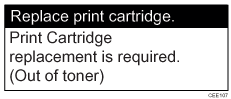
This message appears when the toner has run out.
"Replace print cartridge. /Print Cartridge replacement is required.(Out of toner)"
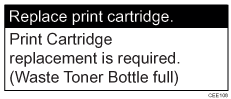
This message appears when the waste toner bottle is full.
"Replace print cartridge. /Print Cartridge replacement is required.(Waste Toner Bottle full)"
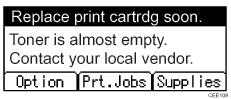
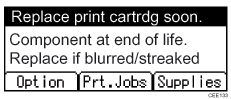
When the following message appears on the display, the print cartridge should be replaced soon. Prepare a new print cartridge.
"Replace print cartrdg soon."
The print cartridge must be replaced when the life of the photoconductor unit is ending.
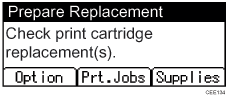
When the printer detects this condition, it will display the following message on the control panel.
"Prepare Replacement"
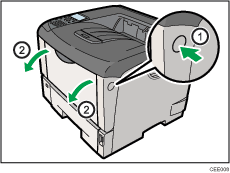
Open the front cover by pushing the front cover release button.
Lift the front side of the print cartridge, and then pull it out of the printer.
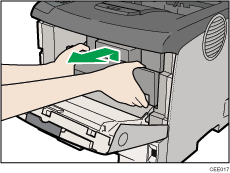
Be sure to put the print cartridge on a stable, flat surface.
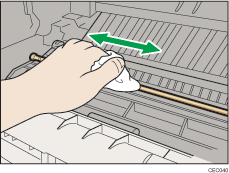
Wipe around the metallic registration roller by turning with a soft damp cloth.
Take the new print cartridge from the box.
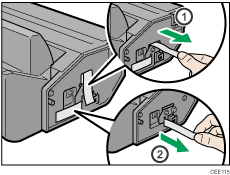
Place the print cartridge on a flat surface. Pull out the tape from inside the unit horizontally while holding the cartridge with one hand as shown in the illustration.
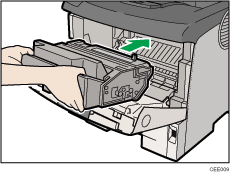
Hold the grips of the print cartridge, and then insert it into the printer until it stops.
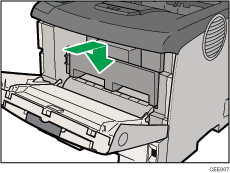
Push down the print cartridge to secure it in the appropriate position.
Close the front cover.
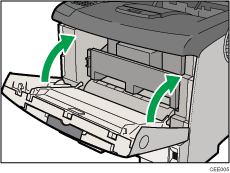
Wait while the toner loads.
To avoid malfunction, do not turn off the power until "Ready" appears on the display.
Do not shake or shock the print cartridge after pulling out the toner seal to avoid soiling paper surfaces, toner spillage, or printer failure.
Comply with the print cartridge recycling program, whereby used print cartridges are collected for processing. For details, ask your sales or service representative.
Do not close the front cover with excessive force. If you cannot close the cover easily, pull out the print cartridge from the printer and reinsert it again. After that, close the front cover again.
 |
 | Copyright (C) 2010 |
