




 Manuals
 Contents
 Previous
 Next
Next


| | | |
| |||
| |||
| | | |
| ManualsContentsPreviousNext | | |

Shuffle paper before loading the stack onto the tray, so multiple sheets are not fed in together.
Set the size and direction of the loaded paper on the control panel or in the printer driver. Make sure the settings do not conflict. Otherwise, the paper may jam or the print quality may be affected.
Load paper with the print side up.
Specify the paper size and type using the control panel. This printer does not automatically detect the size of paper loaded in a bypass tray. Make sure the paper size and type is selected using the control panel.
During printing, do not open or close the printer covers or bypass tray, or pull out or push in the paper tray.
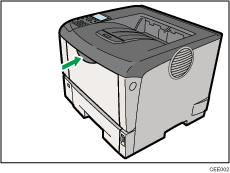
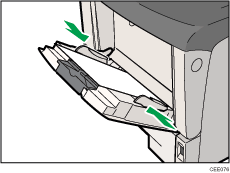
Press the mark in the center of the Bypass Tray.
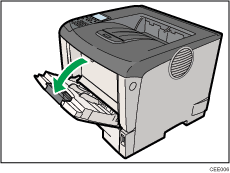
If you load B5 or longer size paper, pull out the bypass tray extension.
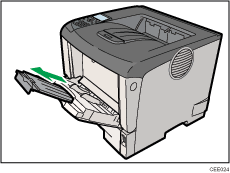
Slide the paper guide both sides outward, and then load paper print side up, until it stops.
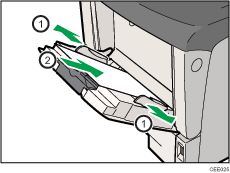
Adjust the paper guide both sides to fit the paper width.

When loading paper on the bypass tray, make sure the stack does not exceed the limit mark on the inner side of the paper guides. For details about the thicknesses of different paper types, see Supported Paper Types.
 |
 | Copyright (C) 2010 |
