




 Manuals
 Contents
 Previous
 Next
Next


| | | |
| |||
| |||
| | | |
| ManualsContentsPreviousNext | | |

Make sure the power cord is plugged securely into the wall outlet.
Turn the power switch off when plugging and unplugging the power plug.
Do not turn off the power switch until initializing is completed. Doing so results in malfunction.
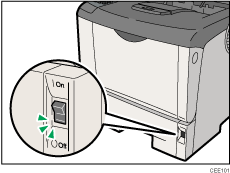
Make sure the power switch is set to " Off".
Off".
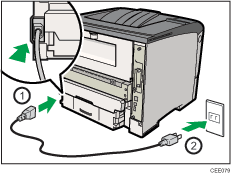
Plug in the power cable, and securely insert the plug of the power cord into the wall socket.
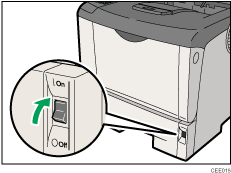
Turn the power switch to " On".
On".
The power indicator on the control panel lights up.

Wait until "Ready" appears on the display panel.
The printer may make a noise while initializing. This noise does not indicate a malfunction.
 |
 | Copyright (C) 2010 |
