












 Manuals
 Contents
 Previous
 Next
Next


| | | |
| |||
| |||
| | | |
| ManualsContentsPreviousNext | | |

If Administrator Authentication Management is specified, contact your administrator.
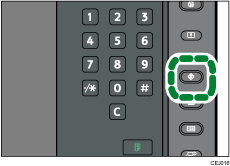
Press the [User Tools] key.
Press [Scanner Features].
Select the item you want to change.
Change settings by following instructions on the display, and then press [OK].
 |
 | Copyright (C) 2010 |
