




Whole Area Repeat
Repeatedly copies the entire image.
The number of repeated images depends on the original size, paper size, and reproduction ratio. For example, see the following table:
Original: A5 /Copy paper: A4, Original: A5
 /Copy paper A4, Original: 51/2 × 81/2/Copy paper: 81/2 × 11, or Original: 51/2 × 81/2/Copy paper: 81/2 × 11
4 repeats (71%) |
16 repeats (35%) |
|---|---|
|
|


Original: A5/Copy paper: A4, Original: A5/Copy paper A4, Original: 51/2 × 81/2/Copy paper: 81/2 × 11, or Original: 51/2 × 81/2/Copy paper: 81/2 × 11
2 repeats (100%) |
8 repeats (50%) |
32 repeats (25%) |
|---|---|---|
|
|
|


 Select the size of copy paper and the reproduction ratio.
 Press [Edit / Colour].
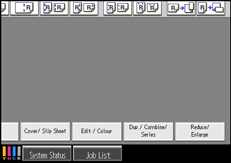
 Press [Edit Image].
 Press [Image Repeat].
 Make sure that [Whole Area] is selected, and then press [OK].
 Press [OK].

