




Batch Mode
In Batch mode, the machine copies an original of more than 100 pages as one document, even if it is placed on the ADF in parts.

Place special originals, such as translucent paper, one by one.
 Press [Special Original].
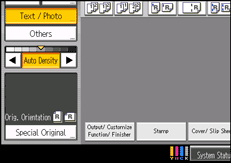
 Select [Batch] and then press [OK].
 Place the first part of the original, and then press the [Start] key.
 After the first part of the original has been fed, place the next part, and then press the [Start] key.

To copy subsequent originals in this mode, repeat step 4.
Press the [
 ] key after all originals have been scanned.
You cannot switch between 1-sided and 2-sided originals during copying.

