












 Manuals
 Contents
 Previous
 Next
Next


| | | |
| |||
| |||
| | | |
| ManualsContentsPreviousNext | | |
You can make copies with the image moved to the centre of the copy paper.
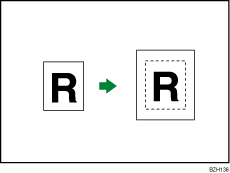

You cannot use the bypass tray with this function.
Press [Original Settng].
Press [Original Size].
Specify the original size, and then press [OK].
Select original orientation.
Press [OK].
Select the paper tray.
Press [Edit / Colour].
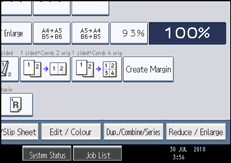
Press [Edit Image].
Press [Centring].
Press [OK].

Though the original is placed in a different orientation from the paper loaded, the machine will not rotate the image by 90 degrees (Rotate copy).
For details about the original size you can select as the regular size, see “Sizes Selectable as Regular Size Originals”.
 |
 | Copyright (C) 2010 |

