












 Manuals
 Contents
 Previous
 Next
Next


| | | |
| |||
| |||
| | | |
| ManualsContentsPreviousNext | | |
The inquiry function lets you check the telephone numbers to contact for repairs. Be sure to contact your service engineer to verify the following:
Supplies
Toner <Black>
Toner <Cyan>
Toner <Magenta>
Toner <Yellow>
Staple
Staple (Booklet)
Binding Glue
Black Binding Combs (50 sheets)
White Binding Combs (50 sheets)
Black Binding Combs (100 sheets)
White Binding Combs (100 sheets)
Machine Maintenance/Repair
Telephone No.
Serial No. of Machine
Sales Representative
Telephone No.
Supply Order
Telephone No.
Press the [User Tools] key.
Press [Inquiry].
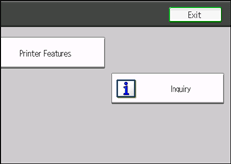
Inquiry information appears.
Press [Print Inquiry List].
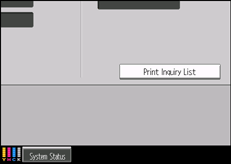
Press the [Start] key.
Inquiry information prints out.
Press [Exit].
Press the [User Tools] key.
 |
 | Copyright (C) 2010 |

