












 Manuals
 Contents
 Previous
 Next
Next


| | | |
| |||
| |||
| | | |
| ManualsContentsPreviousNext | | |
This section describes Address Book settings.
Registering information such as the names of users in the Address Book allows you to manage them easily.
We recommend you back up the Address Book regularly. For details about backing up/restoring the Address Book, see "Administrator Tools".

Address Book data is stored on the hard disk. It can be lost if there is some kind of hard disk failure.
The manufacturer shall not be held responsible for any damages resulting in data loss.
User codes are used for authentication. If necessary, register user codes matching the codes specified in the printer function. For details about how to register codes for the printer function, see the manual provided for the printer function.
You can register and manage the following items in the Address Book:
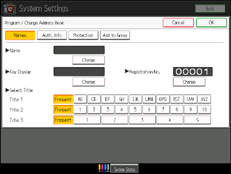
Names
You can register the name of the user and the key display. This is the basic information required for managing users of the machine.
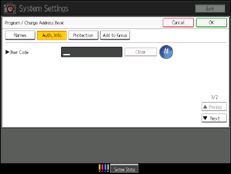
Auth. Info
You can register user codes in order to restrict particular functions to certain users, and to check their use of each function. You can also register login user names and login passwords to be used when accessing an LDAP server.
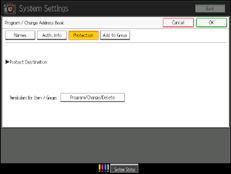
Protection
You can protect the information registered in the address book. For details, ask your administrator.
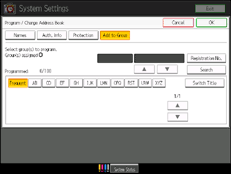
Add to Group
You can put registered names of users into a group for easier management.

You can also use Web Image Monitor to register names in the Address Book. For details about using Web Image Monitor, see Web Image Monitor Help.
 |
 | Copyright (C) 2010 |

