Top Page > General Settings Guide > Registering Addresses and Users > Authentication Information > Displaying the Counter for Each User
This section describes how to display the counter for each user.
Press the [User Tools] key.
Press [System Settings].
Press [Administrator Tools].
Press [Display / Clear / Print Counter per User].





 Press the [User Tools] key.
 Press [System Settings].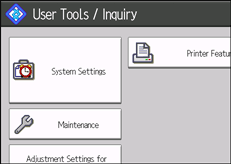
 Press [Administrator Tools].
 Press [Display / Clear / Print Counter per User].
