Loading small size paper into the Wide Large Capacity Tray
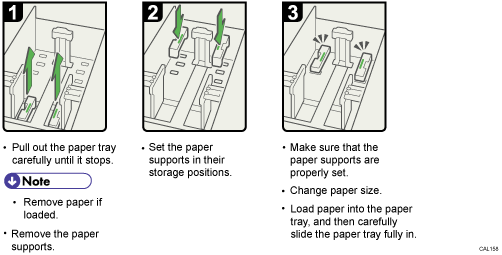
To load the Wide LCT with paper smaller than B5 JIS that has a vertical length of 139.7 to less than 257 mm (5.5 to less than 10.12 inches), the paper supports must be removed.
This section describes how to remove the paper supports.