




Loading Paper into the A3/11" × 17" Tray Unit
This section describes how to load paper in the A3/11" × 17" tray unit.

To use the A3/11" × 17" tray unit, you must replace Tray 1.
Make sure the paper stack is flush to the right side fence.
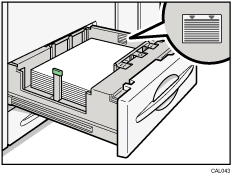
The tray can hold up to 1,000 sheets of paper. Do not stack paper over the limit mark.
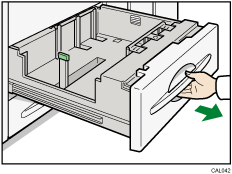
 Carefully pull out the paper tray until it stops.
 Place the paper print side down along the edge on the left.
 Carefully slide the paper tray fully in.

