












 Manuals
 Contents
 Previous
 Next
Next


| | | |
| |||
| |||
| | | |
| ManualsContentsPreviousNext | | |
You can delete the contents of preset jobs.
Select the job number you want to delete.
Press [Delete Job].
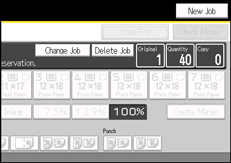
Press [Delete] in the confirmation dialog box.
You return to the copy screen.

To interrupt copying, press [Stop Printing] at the right bottom of the display, and then press [OK].
 |
 | Copyright (C) 2010 |
