












 Manuals
 Contents
 Previous
 Next
Next


| | | |
| |||
| |||
| | | |
| ManualsContentsPreviousNext | | |
When placing custom size originals, specify the size of the originals.

Paper that has a vertical length of 128  297 mm (5.1 11.6 inches) and a horizontal length of 128 432 mm (5.1 17 inches) can be placed with this function.
Press [Special Original].
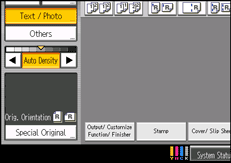
Press [Original Size].
Press [Custom Size].
Enter the horizontal size with the number keys, and then press [ ].
].
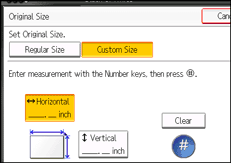
Enter the vertical size with the number keys, and then press [].
Press [OK] twice.
Place the originals, and then press the [Start] key.

To change the value you entered, press the item you want to change, and then enter a new value.
 |
 | Copyright (C) 2010 |
