












 Contents
 Previous
 Next
Next


| | | |
| |||
| |||
| | | |
| ContentsPreviousNext | | |
This section explains setting Energy Saver mode as an example of how to change a System menu setting.
Press the [Menu] key.
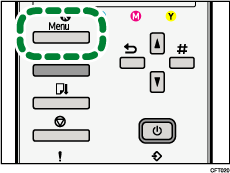
Press [ ] or [
 ] key to display [System], and then press the [#Enter] key.
| Menu: System |
Press [] or [] key to display [Energy Saver], and then press the [#Enter] key.
| System: Energy Saver |
Press [] or [] key to select the lead time needed to switch to the Energy Saver mode.
| E.Saver Timer: *5 minutes |
Press the [#Enter] key.
The [System] screen appears.
Press the [Online] key.
The initial screen appears.
 |
 | Copyright (C) 2008-2011 |
