












 Contents
 Previous
 Next
Next


| | | |
| |||
| |||
| | | |
| ContentsPreviousNext | | |
Follow the procedure below to perform a thorough print head cleaning. Since this consumes more ink than a normal head cleaning does, perform this when the problem persists after performing a normal head cleaning.
When the Print cartridge is empty, replace it instead of performing a print head cleaning. After a Print cartridge is replaced, a print head cleaning will be automatically performed.
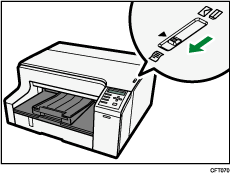
Slide the envelope selector  to the forward position.
Press the [Menu] key.
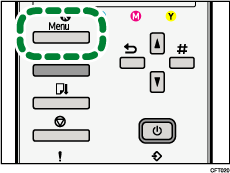
Press the [ ] or [
 ] key to display [Maintenance], and then press the [#Enter] key.
| Menu: Maintenance |
Press the [] or [] key to display [Head-flushing], and then press the [#Enter] key.
| Maintenance: Head-flushing |
Press the [] or [] key to select a color, and then press the [#Enter] key.
| Head-flushing: All Heads |
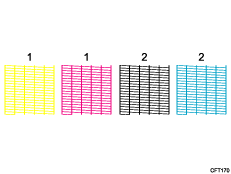
1. Head 1 (Yellow/Magenta)
2. Head 2 (Black/Cyan)
Press the [#Enter] key.
| Press # to flush heads |
Head flushing starts.
| Maintenance in process... |
Press the [Online] key.
The initial screen appears.
 |
 | Copyright (C) 2008-2011 |
