


Loading Paper into Tray 1
Follow the procedure below to load paper into tray 1.
A4/Letter size paper is loaded here.

Load A4/Letter size paper in
 orientation.
 Hold the Tray 1 grip, pull the tray halfway out, lift it slightly (
 ), and then pull it out further (
 ).
).
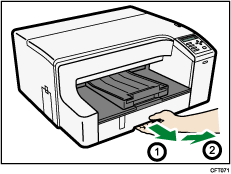
Pull tray 1 completely out. Take care not to drop it.
After pulling out the tray 1, check that no paper remains in the printer. If there are any remaining paper sheets, remove them.
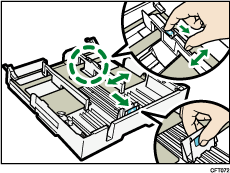
 Pinch the catch of the paper guide on the right side, slide the paper guides to match the size of paper you want to load, and then push the end paper guide out until there is space between them.
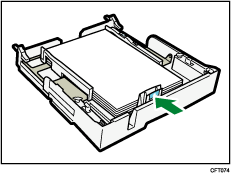
 Load paper with the print side face down but not over the limit mark.
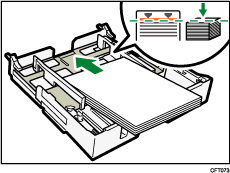
 Squeeze the front end paper guide, and then slide it to meet the edge of the paper.
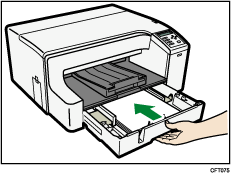
 Push tray 1 gently in until it stops.
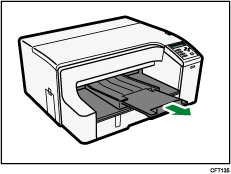
 Pull out the output ramp extension.