Top Page > Troubleshooting > Status Monitor Errors > No Paper/Tray Not Detected (Tray 2/Tray 3) > Canceling the Print Job
Cancel the print job.
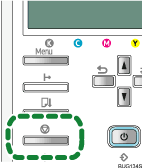
Press the [Job Reset] key.
Press the [#Enter] key.













 Contents
 Previous
 Next
Next

 ContentsPreviousNext