




Modifying fax destinations
This section describes how to modify the information of registered destinations.
 Press the [User Tools] key.
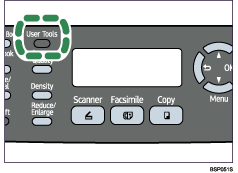
 Press the [
 ][
][ ] keys to select [Fax Directory], and then press the [OK] key.
 If you are requested to enter a password, enter the password using the number keys, and then press the [OK] key.
 Press the [][] keys to select [Quick Dial Entry] or [Speed Dial Entry], and then press the [OK] key.
 Press the [][] keys to select the desired entry, and then press the [OK] key.
 Press the [][] keys to select [Fax # Entry], and then press the [OK] key.
 Modify the number as necessary, and then press the [OK] key.
To delete the current number completely, press the [Clear/Stop] key. Then, enter the new number.
 Press the [][] keys to select [Fax Name Entry], and then press the [OK] key.
 Modify the name as necessary, and then press the [OK] key.
To delete the current name completely, press the [Clear/Stop] key. Then, enter the new name.
 Confirm the setting, and then press the [Clear/Stop] key.

You can press the [
 ] key to exit to the previous level of the menu tree.
A password for accessing the [Fax Directory] menu can be specified in [Admin Menu Lock].

For details about entering characters, see Entering Characters
 .
.For details about [Admin Menu Lock], see Administrator Settings
.

