




Loading Paper in the Bypass Tray

Set the size of the loaded paper using the control panel or the printer driver. Make sure the settings do not conflict. Otherwise, the paper may jam or the print quality may be affected.
Load paper with the print side up, and in the short-edge feed direction.
If paper is curled, straighten it before loading, by bending the paper in the opposite direction to the curl, for example.
Do not load paper while the machine is printing.
 Open the bypass tray.
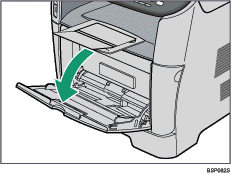
If you load A4 (297 mm) or larger size paper, pull out the bypass tray extension.
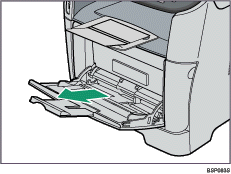
 Slide the side guides outward, then load paper with the print side up, and push in until it stops against the machine.
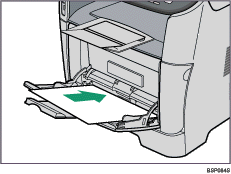
 Adjust the side guides to the paper width.
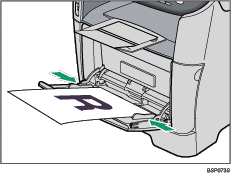

After loading paper in the tray, specify the paper type and size using the control panel or the printer driver.

For details about supported types of paper, see Paper and Other Media
 .
.For details about specifying the paper type and size, see Specifying Paper Type and Paper Size
.

