












 Manuals
 Contents
 Previous
 Next
Next


| | | |
| |||
| |||
| | | |
| ManualsContentsPreviousNext | | |
This section describes how to load envelopes.
To load envelopes in Tray 2, place them with the side you want to print face-down. Be sure to unfold the flaps and position them opposite to the paper feed direction.
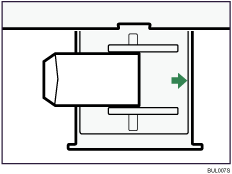
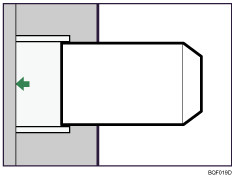
To load envelopes in the Wide Large Capacity Tray or the Multi Bypass Tray, place them with the side you want to print face-up. Be sure to unfold the flaps and position them opposite to the paper feed direction.
Wide Large Capacity Tray
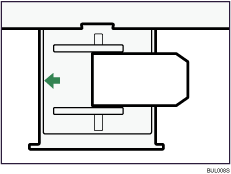
Multi Bypass Tray
 |
 | Copyright (C) 2008, 2009 |
