












 Manuals
 Contents
 Previous
 Next
Next


| | | |
| |||
| |||
| | | |
| ManualsContentsPreviousNext | | |
When the machine is moved, the Fusing Unit is replaced, or after printing repeatedly for some time, registration shifting might occur. By performing color registration adjustment, you can maintain optimum print results.
If the color documents show registration shifting, perform automatic color registration.
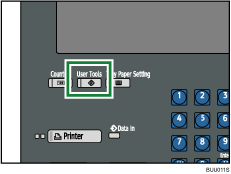
Press the [User Tools] key.
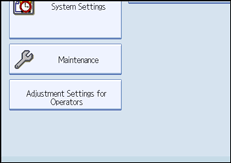
Press [Maintenance].
Press [Color Registration].
Press [OK].
Auto color registration takes about fifteen to thirty seconds. When it is completed, the display returns to the color registration menu.
Press [Exit] twice to return to the initial display.
 |
 | Copyright (C) 2008, 2009 |
