




Inserting Front/Back Covers
Using this function, you can insert cover sheet fed from a different tray to that of the main paper, and print on them.

To use this function, [Collate] must be set.
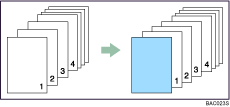
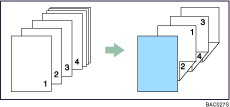
Front Cover
When printing one side
When printing both sides
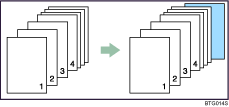
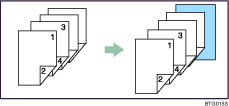
Back Cover
When printing one side
When printing both sides

If booklet binding is selected for [Duplex/Booklet:] in the [Edit] menu list, any settings for the back cover become invalid.
If the [Collate] check box is not selected, any settings for the front and back covers become invalid even if multiple copies are specified for [Copies:] in the [Setup] menu.
This setting is not available if the [Page Range Printing] check box has been selected in the [Job Options] menu.
For printing methods, see the printer driver Help.

