




Changing Tray Paper Settings
This section describes how to change the settings of Tray Paper Settings.
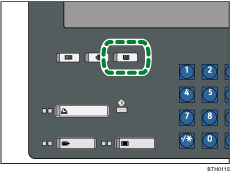
 Press the [Tray Paper Setting] key.
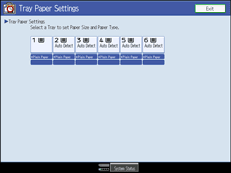
 Select the tray that you want to change the settings.
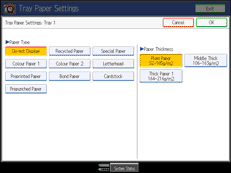
 Change settings, and then press [OK].
 Press [Exit] to return to the System Settings screen.
To return to the normal screen, press the [Tray Paper Setting] key.

