This document describes how to use Remote Manager version 2.4 to activate/deactivate SDK applications.

- NOTE:
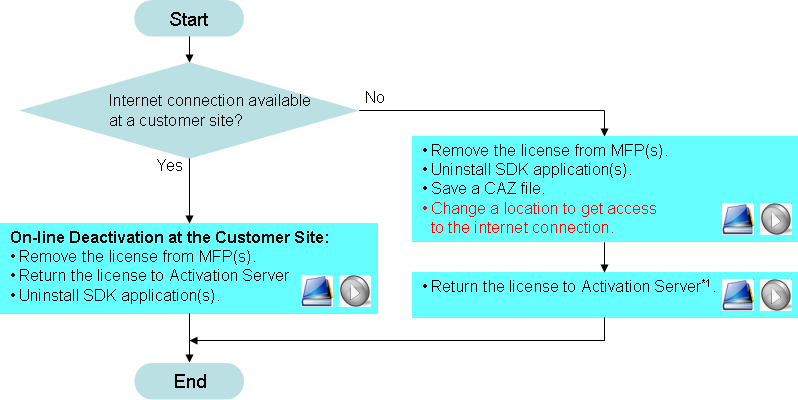
- As the video shows, it is strongly recommended to remove the application from the "software" tree before saving a CAZ file at the customer site.
This will significantly reduce the size of the CAZ file.
- Be sure to open the CAZ file saved at the customer site before accessing the Activation Server, and be sure to save a CAZ file again after getting the license.
- Before visiting the customer site, please pay attention to bring the CAZ file containg the license.
- NOTE:
- Be sure to open the CAZ file saved at the customer site before accessing the Activation Server.