












 Manuals
 Contents
 Previous
 Next
Next


| | | |
| |||
| |||
| | | |
| ManualsContentsPreviousNext | | |
The inquiry function lets you check the telephone numbers to contact for repairs, or ordering consumables such as toner. Be sure to contact your service engineer to verify the following:
Consumables
Telephone No. to order
Toner
Staple
Staple (Booklet)
Binding Glue
Black Binding Combs (50 sheets)
White Binding Combs (50 sheets)
Black Binding Combs (100 sheets)
White Binding Combs (100 sheets)
Machine Maintenance/Repair
Telephone No.
Serial No. of Machine
Sales Representative
Telephone No.
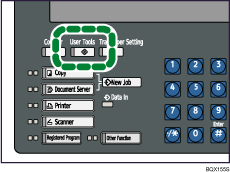
Press the [User Tools] key.
Press [Inquiry].
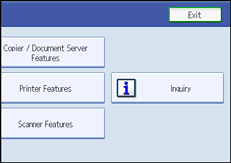
Inquiry information appears.
Press [Print Inquiry List].
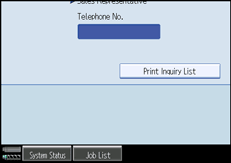
Press the [Start] key.
Inquiry information prints out.
Press [Exit] twice.
 |
 | Copyright (C) 2008 |
