












 Manuals
 Contents
 Previous
 Next
Next


| | | |
| |||
| |||
| | | |
| ManualsContentsPreviousNext | | |
Use the following procedure to search by folder path for a destination in the machine's address book.
Press the [Search Destination] key.
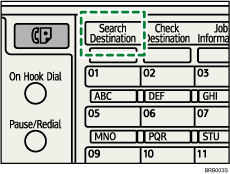
The illustration is an example. The actual appearance may be different.
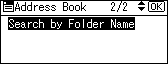
Select [Search by Folder Name], and then press the [OK] key.
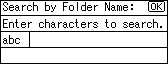
Enter the beginning of the folder path, and then press the [OK] key twice.
Enter the folder path in the following format: \\computer name\folder name.
Destinations that match the search conditions are displayed.
Press the [ ] or [
 ] key to select the destination, and then press the [
 ] key.
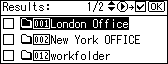
The check box on the left side of the selected destination is selected.
Press the [OK] key.
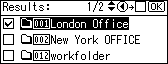

Up to 100 destinations can be displayed as search results.
 |
 | Copyright (C) 2008 |
