












 Manuals
 Contents
 Previous
 Next
Next


| | | |
| |||
| |||
| | | |
| ManualsContentsPreviousNext | | |
This section explains how to select a sender registered to a Quick Dial key.
For details about how to register e-mail senders to Quick Dial keys, see "Registering Addresses and Users for Facsimile/Scanner Functions", Network and System Settings Guide.
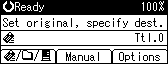
Press [Options].
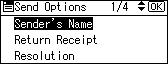
Select [Sender's Name], and then press the [OK] key.
Press the Quick Dial key to which the sender is registered.
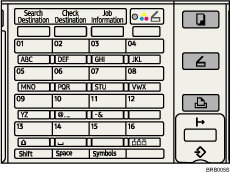
The illustration is an example. The actual appearance may be different.
Press the [OK] key.
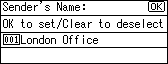
"Programmed" appears, and then the Send Options screen reappears.
 |
 | Copyright (C) 2008 |
