












 Manuals
 Contents
 Previous
 Next
Next


| | | |
| |||
| |||
| | | |
| ManualsContentsPreviousNext | | |
This section explains how to enter a pause.
Press the [Pause/Redial] key when dialing or storing a number to insert a pause of about two seconds.
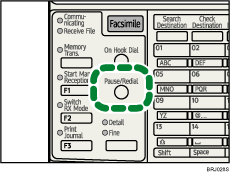

If you press the [Pause/Redial] key at the first digit, the Redial screen appears.
A pause is shown as a "-" on the display.
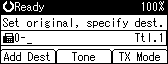
You can also program numbers including pauses in the destination list.
 |
 | Copyright (C) 2008 |
