












 Manuals
 Contents
 Previous
 Next
Next


| | | |
| |||
| |||
| | | |
| ManualsContentsPreviousNext | | |
If files could not be stored due to printing errors, identify the cause of the errors by checking the error log on the control panel.
Press the [Menu] key.
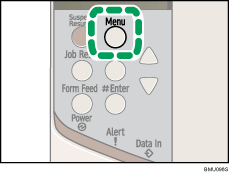
The [Menu] screen appears.
Press the [ ] or [
 ] key to display the print type you want to check, and then press the [
 Enter] key.
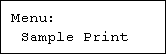
Press the [] or [] key to display [Error File(s)], and then press the [ Enter] key.
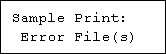
Press the [] or [] key to check the log.

Press the [Menu] key until the initial screen appears after checking the log.
To print files that appear in the error log, resend them after stored files have been printed or deleted.
 |
 | Copyright (C) 2008 |
