




Deleting a Group
This section describes how to delete a group.
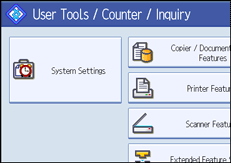
 Press [System Settings].
 Press [Administrator Tools].
 Press [Address Book: Program / Change / Delete Group].
 Press [Delete].
 Press a group key you want to delete.
If you press [Search], you can search by the registered name, folder name, or e-mail address.
 Press [Yes].
 Press [Exit].
 Press the [User Tools/Counter] key.

