












 Manuals
 Contents
 Previous
 Next
Next


| | | |
| |||
| |||
| | | |
| ManualsContentsPreviousNext | | |
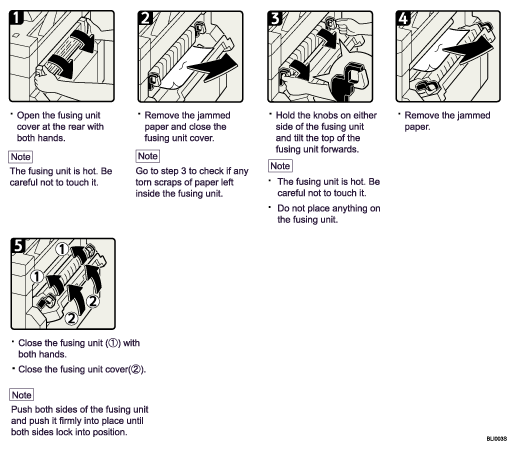
When paper jams occur, first try removing the paper through the front paper exit at the front of the machine, even if C lights up to indicate that the jam has occurred elsewhere. Then, if doing this does not resolve the jam, do the following:
 |
 | Copyright (C) 2008 |
