Top Page > Scanner Reference > Various Scan Settings > Setting of Original Feed Type > Original Output Exit
This section explains how to select the output exit for originals.
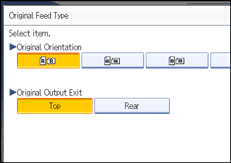
Press [Original Feed Type].
Under [Original Output Exit], press [Top] or [Rear].
Press [OK].













 Manuals
 Contents
 Previous
 Next
Next

 ManualsContentsPreviousNext